

What is Electron?
Electron, often called ElectronJS or Electron.js, is an open-source framework for building desktop applications with JavaScript, HTML, and CSS. It bundles the Chromium rendering engine and the Node.js runtime, so one codebase can run as a desktop app on Windows, macOS, and Linux.
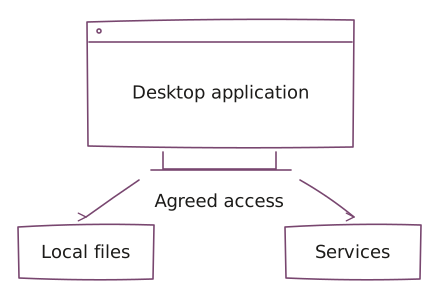
The interface is built like a web page. Application code can reach desktop features such as local files, windows, menus, and notifications.
When to use Electron
Electron fits when:
- the product needs a desktop app on more than one operating system from one codebase
- the team already builds with web technologies and wants to reuse that work
- the workflow needs local files, offline work, system menus, or notifications that a browser cannot provide
Consider another approach when:
- a browser application already covers the workflow
- the app must stay small or light on memory, since each Electron app ships its own browser engine
- the product depends on deep platform-specific behavior, where a native build may fit better
Where it fits in UCS delivery
UCS uses ElectronJS in application delivery. It fits desktop workflows that need a web-style interface alongside local files, windows, or other operating-system features. Agree on which capabilities the application needs and limit access to that scope.
Desktop delivery includes packaging, installation, and updates as well as the interface. Define supported operating systems, test the integrations on each one, and plan how users receive fixes. Shared code does not guarantee identical behavior everywhere.
Devices and integrations
Electron supports Windows, macOS, and Linux. Choose which operating systems your application will support, then plan testing and releases for each one.
See our Microsoft and Apple delivery pages for related application and integration services.
Choose ElectronJS around the workflow
Choose ElectronJS when a desktop workflow needs local files, windows, or operating-system capabilities alongside a web-style interface. Define exactly which local resources it may access and which operating systems the product must support.
A browser application is usually the smaller scope to assess when those desktop capabilities are unnecessary. If specific operating-system behavior dominates the product, compare a native implementation before selecting a shared desktop stack. Existing web code does not establish that packaging, local access, or updates are ready for desktop use.
The product owner should define a user task and the expected behavior when local access is denied or a dependency fails. Your technical owner and UCS agree on permission boundaries, installation and update checks, and acceptance on each target operating system. Name who publishes updates and supports users after release.
Work with UCS
Use product engineering for the desktop experience, system integration, and release. Choose forward-deployed engineering when delivery needs a team embedded with the product and its users.
Questions before we start
What is Electron used for?
Electron is used to build desktop applications with web technologies that run on Windows, macOS, and Linux from one codebase. Teams use it when a desktop workflow needs local files, windows, menus, or notifications alongside a web-style interface.
When does ElectronJS fit?
ElectronJS fits desktop workflows that need web-style interfaces plus local files, windows, or operating-system features. Agree on required local access and target operating systems before implementation; a browser application may be enough without those requirements.
When should we choose a browser or native application instead?
A browser application may be sufficient when an ElectronJS desktop application adds no necessary local capability. A native implementation may be worth assessing when specific operating-system behavior drives the product. Compare the workflow, access needs, and maintenance responsibility first.
Does ElectronJS automatically cover all desktop systems?
ElectronJS can support Windows, macOS, and Linux, but a UCS application supports only the systems agreed for its scope. Installation, local integrations, and updates need testing on each target system; shared code does not guarantee identical behavior.
Who owns desktop packaging and updates?
An ElectronJS application needs named owners for packaging, installation, update distribution, and support. Agree on local permissions and release acceptance for each supported operating system. Reusing web code does not settle those desktop responsibilities.
Bring the application constraints
Bring the desktop workflow, target operating systems, required local access, and installation or update constraints. Include the product decision owner and the technical owner who approves desktop releases. Share sanitized examples or diagrams; do not send credentials, confidential source dumps, or customer datasets.