

What it is for
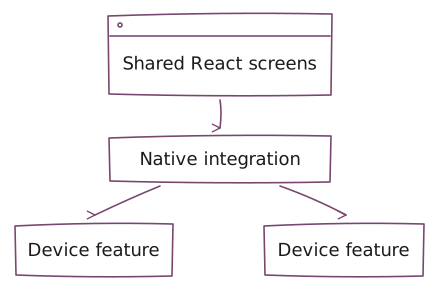
React Native is a framework for mobile applications that uses React and native platform capabilities. It allows parts of an application to be shared while keeping platform-specific behavior where needed.
Where it fits in UCS delivery
In UCS mobile delivery, React Native fits interface workflows, application state, and connections to backend services. Review the native capabilities and dependencies a workflow needs before deciding how much to share.
Plan permissions, device testing, and release checks for each supported platform. Shared code does not guarantee matching behavior or feature coverage across devices.
Devices and integrations
React Native can support applications across the Apple and Google ecosystems. See Apple delivery and Google delivery for related mobile application services.
Choose React Native around the workflow
Choose React Native when a shared mobile interface fits the product and the team can maintain React code alongside native integrations. Confirm the device features and dependencies before deciding how much behavior can be shared.
Compare Flutter when its interface approach and Dart maintenance requirements suit the team. Use Swift / iOS as an alternative when native iOS behavior is central. If the workflow does not need a mobile installation or device integration, assess a browser experience first.
Your product owner defines the supported user journey and devices. The technical owner and UCS agree on acceptance checks across permissions, native dependencies, service failures, and release behavior on each platform. Name the maintainer for native changes as well as shared code; one codebase does not remove that responsibility.
Work with UCS
Use product engineering for the mobile experience, service integration, and release. Choose forward-deployed engineering when delivery needs an embedded team close to the product and its users.
Questions before we start
When does React Native development fit?
React Native development fits shared mobile interfaces when the application’s required native capabilities and dependencies can be supported. Review device needs and the maintaining team before choosing which behavior to share.
When should we compare Flutter or Swift?
Flutter is another option for shared mobile workflows, with a different interface approach and Dart maintenance needs. Swift / iOS may fit when native iOS behavior drives the product. Compare the specific integrations and team skills rather than assuming one stack fits every application.
Does shared React Native code guarantee matching behavior?
Shared React Native code does not guarantee matching features or behavior across devices. Permissions, native dependencies, connection failures, and release checks must be tested for each supported platform. Scope any platform-specific work explicitly.
Who maintains native integrations after release?
React Native delivery needs an agreed maintainer for native integrations as well as shared application code. Define dependency updates, device checks, release acceptance, and failure response before launch; ongoing UCS support is separately scoped.
Bring the application constraints
Bring the mobile journey, target devices, native features and dependencies, and the existing React or backend context. Include the product decision owner and the technical owner who can maintain native integrations. Share sanitized examples or diagrams; do not send credentials, confidential source dumps, or customer datasets.