

What it is for
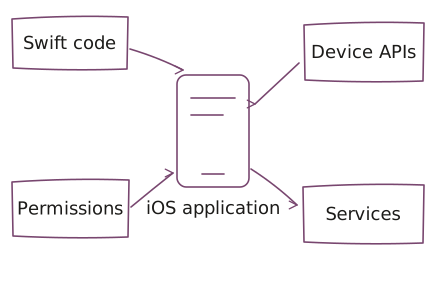
Swift is a programming language used to build native applications for iOS. We use Swift to connect the application interface with device features and supporting services.
Where it fits in UCS delivery
In UCS mobile delivery, Swift fits native interfaces and application behavior that needs close access to the device. Scope permissions, local state, service connections, and the experience when network access changes.
Agree on supported devices and operating-system versions for each engagement.
Devices and integrations
See our Apple application delivery for the wider Apple ecosystem. We plan supported devices, system integrations, and release requirements with your mobile application.
Choose Swift / iOS around the workflow
Choose Swift / iOS when native iOS interaction and device capabilities are central to the product. Start with supported devices and operating-system versions, required permissions, and the service behavior the application depends on.
If the same mobile workflow must span platforms, compare Flutter and React Native before committing to separate implementations. A browser application may be enough when device-specific behavior adds little value. Swift / iOS work does not automatically include other Apple devices or an Android application.
The product owner accepts the user journey; your technical owner and UCS agree on checks for permissions, local state, interrupted connections, and supported devices. Name the release-account owner and the maintainer before distribution. Device access and release authority are prerequisites to confirm, not details to defer until the application is finished.
Work with UCS
Use product engineering to connect the mobile experience, implementation, and release testing. Choose forward-deployed engineering when an embedded team needs to resolve workflows with users.
Questions before we start
When should we choose Swift for iOS development?
Swift / iOS development fits native interfaces and device behavior that are central to an application. Agree on supported devices, operating-system versions, permissions, and service dependencies before choosing the implementation.
When should we compare Flutter or React Native?
Flutter or React Native may fit when the mobile workflow benefits from shared code across platforms. Swift / iOS may fit when native iOS behavior drives the product. Compare actual device integrations and the maintaining team; no choice removes device-specific testing.
Does Swift / iOS delivery include every Apple platform?
Swift / iOS delivery does not automatically include iPadOS, macOS, watchOS, or an Android application. Supported devices and platform-specific features must be agreed for each application and checked before release.
Who owns an iOS release and ongoing changes?
An iOS release needs a product acceptance owner and an authorized owner for distribution access. Agree on device tests, permission behavior, dependency changes, and maintenance responsibility. Building the application does not guarantee distribution approval.
Bring the application constraints
Bring the iOS user journey, target devices and operating-system requirements, required native features, and backend boundaries. Include the product decision owner and the person responsible for distribution access. Share sanitized examples or diagrams; do not send credentials, confidential source dumps, or customer datasets.